Downloads
HLSLBluePlanet.rar [8.9Mb] – C# 2.0 (VS.NET 2005)
Description
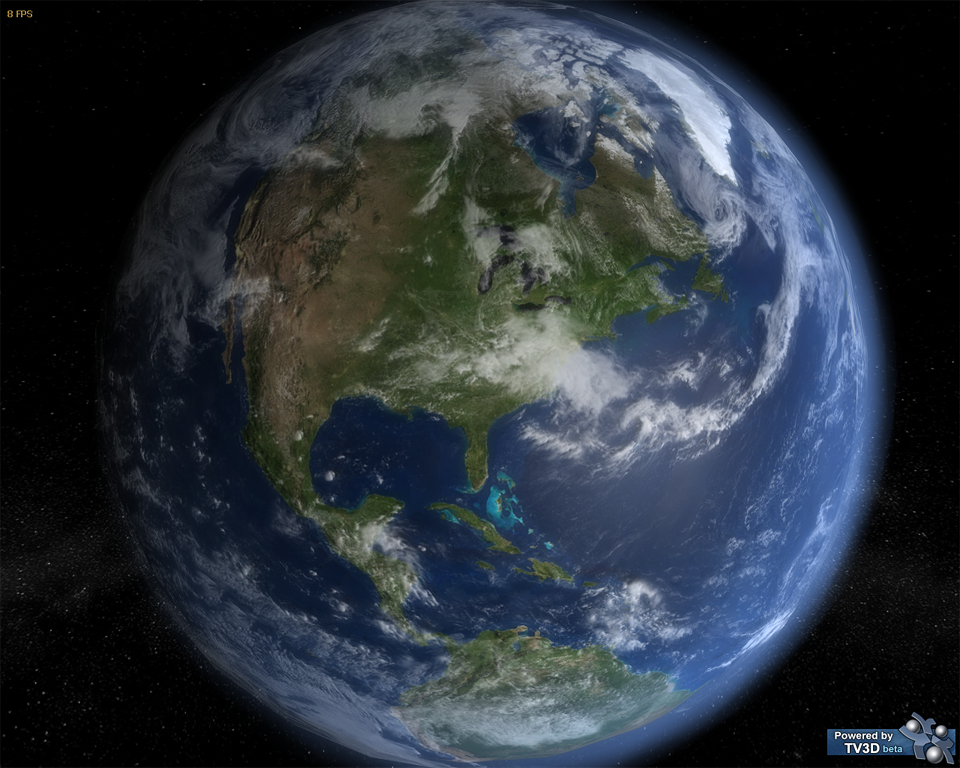
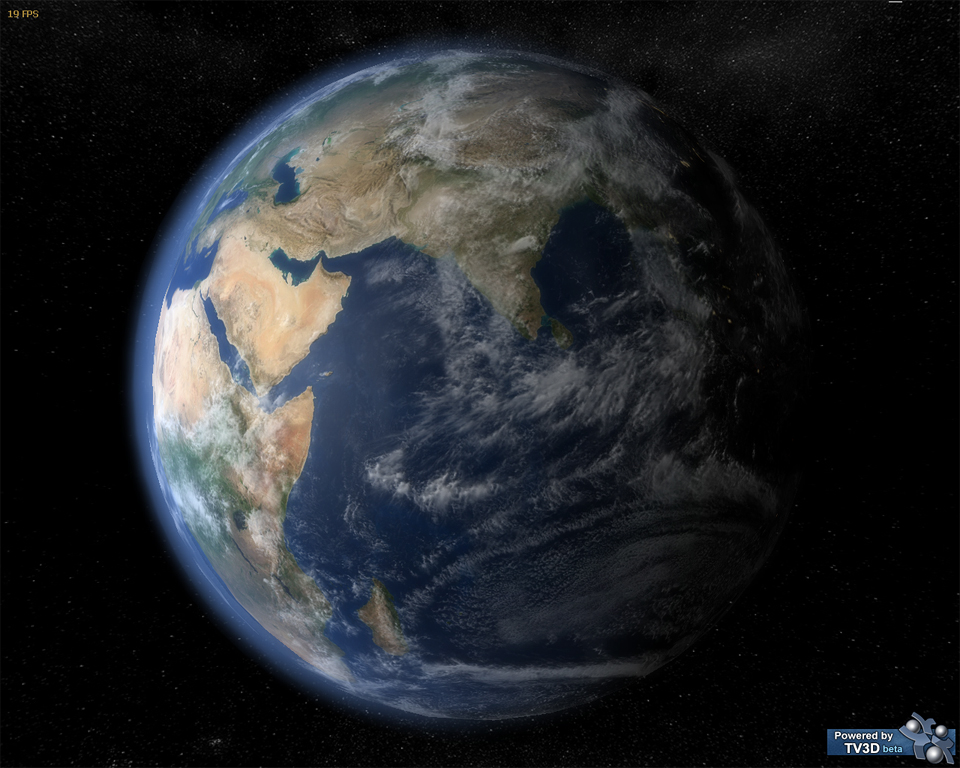
This demo is the remake of an old 6.2 demo I had made to test materials and lighting. I was always decieved by that lack of proper bump-mapping in 6.2… so I remade it in 6.5 with custom shaders, very high-resolution textures and normal-maps, and even the moon!
I would have liked to distribute the “real” version with uncompressed textures, but the download was way too big… 40Mb! So the textures are DXT5-compressed. That accounts for some artifacts, most notable on the moon. I could redo this demo with DXT5NM compression, which would help the artifacts… Maybe sometime.
Features
- The Earth
- Uses textures from the NASA’s “Blue Marble Next Generation” satellite images
- One 2048×1024 parallax map (normalmap + heightmap in alpha channel)
- One diffuse + gloss/specular map split in two chunks, resulting in a 4096×2048 resolution
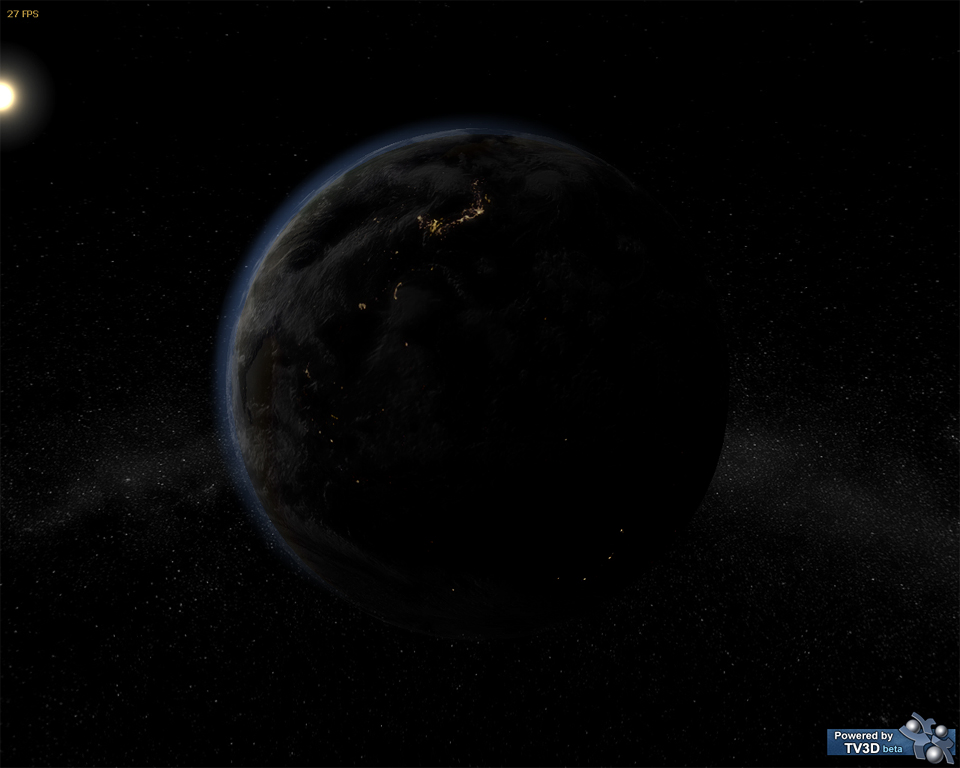
- And emissive map for night-time, 2048×1024 resolution
- Cloud shadows baked on the diffuse map
- Bathymetric information also blended on the diffuse map so that shallower water looks lighter
- Two chunks of alpha mapping, resulting in 4096×2048 resolution
- 2048×1024 normal-map, so the clouds look like they have depth
- A custom shader on a sphere makes a blueish atmosphere that depends on the sun rays’ orientation
- 2048×1024 diffuse map and normal map
- Physically correct size and distance in relation to the earth
- Use of TV Glow to give a soft feel to the scene
- Shader Model 2.0-compatible
Videos
HLSLBluePlanet.avi [6.3Mb] – Video of an older version, with lower resolution textures
Screenshots

This is an awesome shader! I do have to question however. 1. what do I need to change in order to change the atmosphere color from say blue to red. I want to use it on a mars mesh. I have FXcomposer from nvidia so would I change the settings in composer or VB, and if it is VB what number line and .cs do I need to edit. Heres my second and last question. How do I change it so that instead of the camera being anchored to eaither the earth or moon i is free ranged and has the same control scheme as your Soft Stencil Shadows sample with the wasd keys controlling the direction of the camera and the mouse steering it? Id just thought id ask from you because you seem like a pro at it!
No need to tell me on the first page that you made me a comment, I get email notices.
To change the color of the highlight you’d have to learn HLSL and play with the atmosphere shader (AtmosphereShader.fx). The color is the “color” field. You could change it dynamically in TV3D 6.5 with TVShader.SetEffectParamVector3.
The camera… honestly this is basic 3D programming. Learn how to use TV3D, you could even import some of the code from the other tutorials and fit it in this one to get the camera control you want. I won’t do everything for you…
Thanks for helping. And sorry for posting in the recent topic. I didnt know you were automatically informed.
Hello. WOW.
I have a two questions is there a vb version and, is the earth and moon modeled to scale.
I ask this becouse iam new to tv and currently trying to create a similar thing. However as you move away from the planet the sides start to disapear then the whole planet.
My Earth and Moon meshes are not to scale because I messed up. :D
The real size is 12742 km for Earth and 3476 km for the Moon, I use 100 units for the Earth and 2.73 units for the Moon… but the Moon is 27,27986% the size of the Earth according to :
http://www.freemars.org/jeff/planets/Luna/Luna.htm
So I pushed one decimal too far and it’s 10 times smaller than it should be.
But then it’s also 2 times closer than it should be. I used 1506 units where it should be 2851.2 units according to my scale.
Your planets disappear because they jump out of the view frustum. Try to play with the size of your TV units (i.e. 1 TV distance unit is not necessarily a meter or a millimeter, it can be a parsec if you want) and the TVCamera.SetViewFrustum function, especially the near and far plane depth values.
But as you’ll read if you search in the TV3D forums, planetary systems is a real challenge for the z-buffer. It’s hard to represent both infinitely big and very small distances in the same scene, so precision errors occur pretty fast. You’ll have to research on that, I have not.
Evrey time I try to compile this I get an error saying something about SetBetaKey. I actualy get this on the all the rest of your samples but with the others all I had to do was to delete the _engine.SetBetaKey(_settings.betaUser, _settings.betaKey); line of code. However with this one instead of running, another error shows up that says Required file alink.dll with IAlink3 could not be found. This is the only sample where that error shows up. I have no idea what the alink.dll is and cant find it anywhere. Can you please correct this and re upload it or something?
I’ve never seen that problem, but when Googling it I find it looks like a Vista issue.
“This error message occurs because the C# compiler is trying to embed a Vista manifest into your DLL. I believe you can also work around this problem by doing the following.
Navigate to the properties page for the project. At the bottom of the Application tab (should be selected) there is an label called “Manifest” and a combo box underneath that says “Embed manifest with default settings”. Switch that to “Create Application without a manifest”. I know that will work around the warning in VB and I’m pretty sure it will with C# as well.”
http://codebetter.com/blogs/sam.gentile/archive/2007/04/29/workaround-for-orcas-beta-1-compile-problem-required-file-alink-dll-with-ialink3-could-not-be-found.aspx
Hey thanks it worked! I am using vista so I guess that was the problem.
same problem, can not find setbetakey; in my case there is a application
tab in the project properties but not such place as you describe to make the alteration; I am running vista home premium and c# express or vs2008 and I can not find the stuff you indicate in either. Very nice planet images you made; I simply must learn what you have here; hope you enjoy my site; the vrmlplanetary system generator in php is what you might like to see the most and of course you must have a vrml viewer installed. I want to put atmospheres on my planets and would rather use shaders than multiple semitransparent spheres. Thanks
Oh I forgot; the c# express is 2005
For the beta key you simply have to remove the SetBetaKey call, comment the whole line. That was mandatory when TV3D was in closed beta, now it’s open so they removed the method from TVEngine.
The stuff I was referring to was about his alink.dll error, not SetBetaKey.
thankyou renaud; It compiled perfectly; I hope you have time to visit my site some time.
Just one comment; I think your field of view is too wide to show the milkyway in the correct aspect. But still it looks nice.
Hi there,
Older thread, but still stunning work.
One question though: I have a crash everytime I try to turn the camera around Earth towards the sun and similarly, focussing on the Moon turning towards the sun.
I initially though that it did not load the sun billboard or effects properly, but the log says it does.
Any idea why this might happen? Everything else is fine…
Many thanks.
(C# Express 2008)